When you create a campaign that has a high conversion rate, you may want to use it as a template in the future. TrustPulse makes it easy to quickly duplicate campaigns in your account.
In this article, you’ll learn how to duplicate a TrustPulse campaign.
Duplicate a Campaign
To duplicate a campaign, follow these steps:
1. Log into your TrustPulse account and navigate to your campaigns.
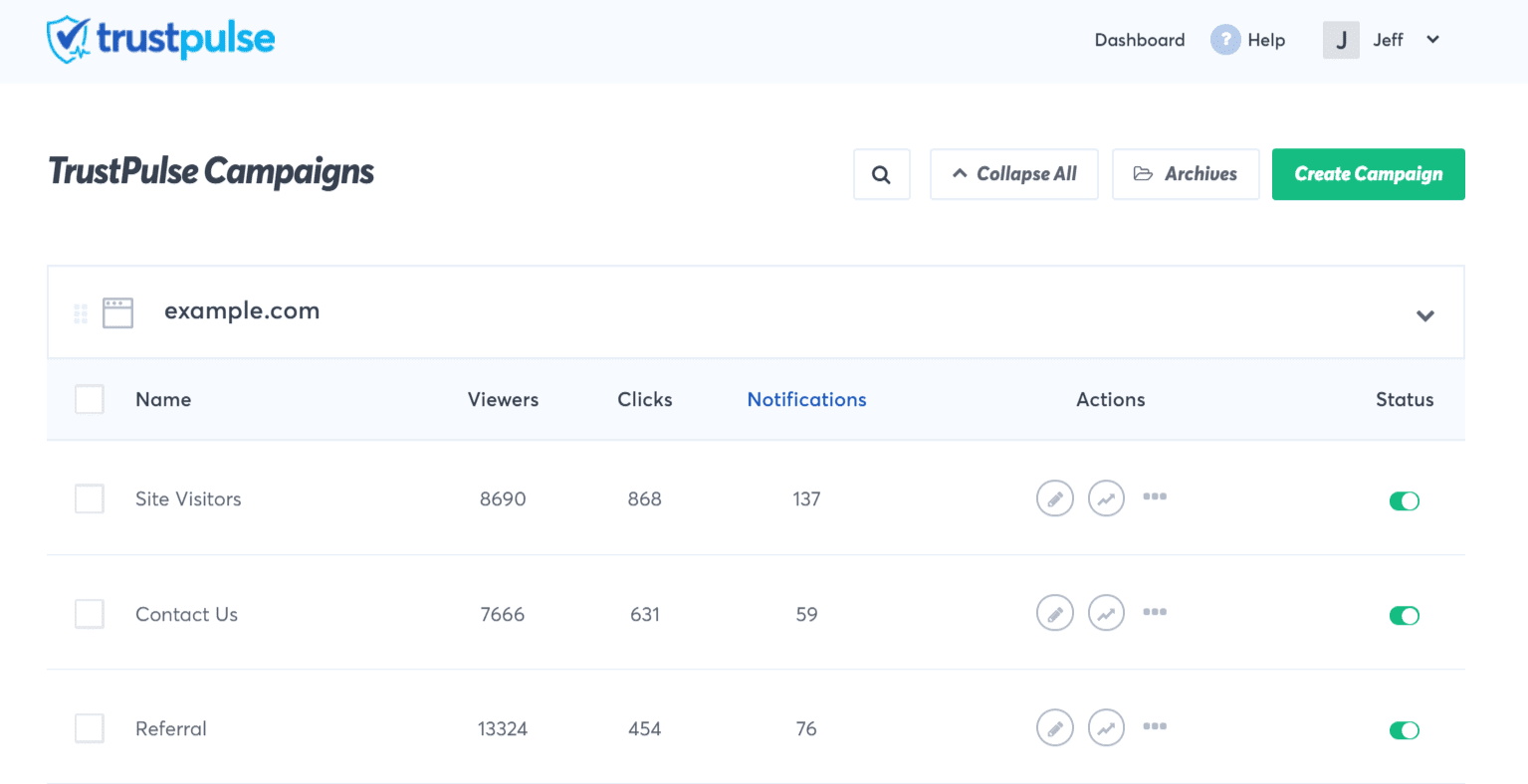
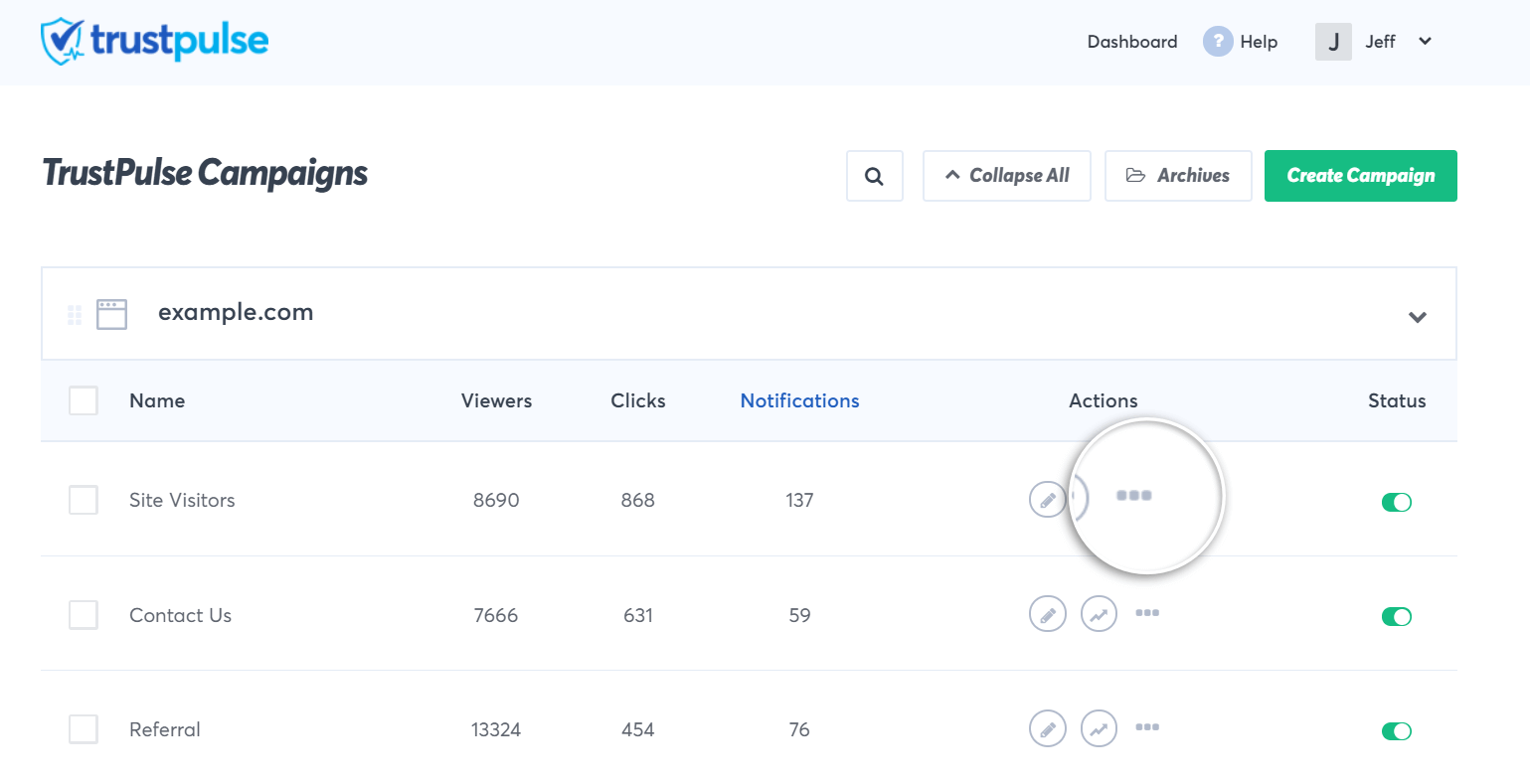
2. Locate the campaign you want to duplicate and click on the Breadcrumb icon.
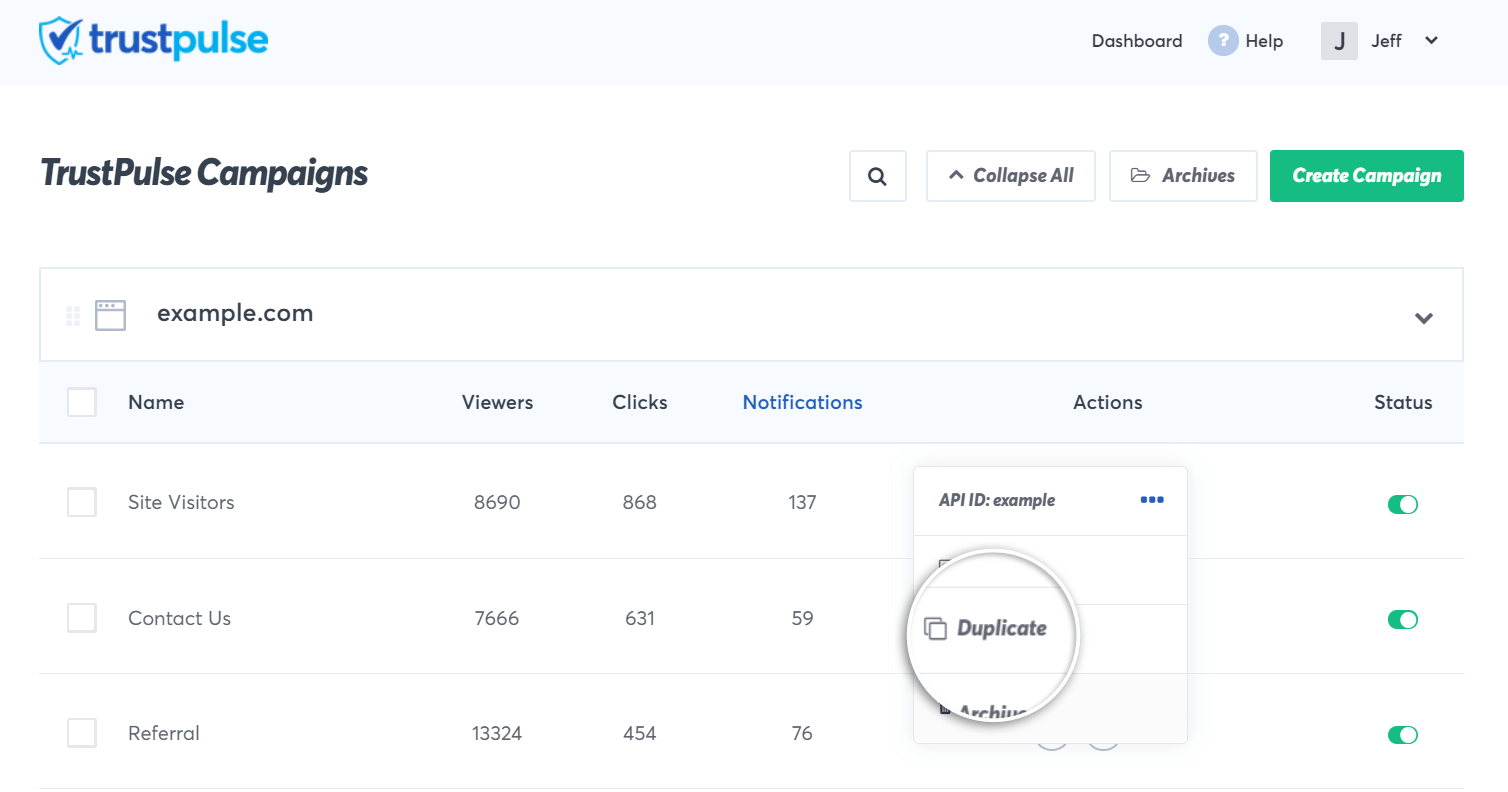
3. Next, click Duplicate in the dropdown menu.
4. Your duplicated campaign would then show up in your campaign list.
Troubleshooting
Q – How can I change the name of my newly duplicated campaign?
A – To change the name of your newly duplicated campaign, follow these steps.
If you haven’t gotten started with social proof then supercharge your website with TrustPulse today!